Reverse Image Search on iPhone & Web
Upload a photo, profile pic, or screenshot — and see everywhere it shows up online. Catch stolen pics, fake profiles, and AI-made faces in seconds.
Finds where a photo gets reused — across social, dating, and resale.
The chat felt real. The photo didn’t.
A new match, a too-perfect photo. Run it through Sherlock before you get attached.

Dramatization. Sherlock reports where a photo appears — you decide what it means.
The deal looked real. The photo was everywhere.
Upload a marketplace listing photo from your iPhone. Sherlock checks where the image appears online, so you can spot reused product photos, fake stores, and suspicious listings before you pay.
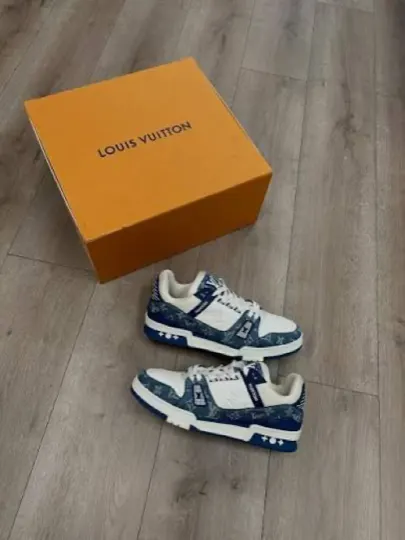
Dramatization. Sherlock reports where a photo appears — you decide what it means.
Reverse image search in 3 steps
No app. No account. Reverse image search on iPhone from any browser — three steps from photo to answer.
Choose a photo
Pick a screenshot, profile picture, product image, or rental photo. Crop in tight on the part you care about.
Upload or drag it in
Open Sherlock in any browser, then tap to upload or drag the photo into the page. No install, no account.
Read the report
See matching pages, similar images, AI signals, and risk clues — then open any suspect page yourself before you decide.
One photo can expose the whole story
Sherlock searches large-scale open-web image sources, connects the clues, and turns scattered matches into a risk report you can actually understand.
“She sent a selfie.”
Same face found on multiple dating profiles.
“Brand-new iPhone, half price.”
Same product photo found in 6 cities.
“Apartment available today.”
Living room photo matches an Airbnb listing in another city.
“This face looks too perfect.”
AI-generated signals detected.
Your evidence stays private
Sherlock is built for sensitive searches — dating profiles, screenshots, product listings, rental photos, and personal images. What you check is your business, not ours.
Local history
Past searches stay in your browser, never on our servers.
Browser-side resizing
Photos are downscaled before upload, so we never get the full-resolution original.
No ad trackers
No third-party advertising pixels follow you after a search.
No image ad targeting
Uploaded images are not sold or used to build ad profiles.
Popular checks
Reverse Image Search iPhone FAQ
Open Sherlock in any browser on your iPhone — Safari, Chrome, whatever you use. Tap to upload a photo or take a new one, then run the search. Sherlock checks the web by image and shows you where that picture, or a visually similar one, appears. There is no app to install, and one search a day is free — sign in to see your results.
One search a day is free — sign in and you see the full report, every match and source link included. Beyond that, one search costs one credit. A plan gives you 60 credits a week; a pack of credits is bought once and never expires.
Yes. Screenshots, camera photos, and saved images all work the same way. Take a screenshot of a dating profile, a marketplace listing, or a social post, save it to your library, then upload it to Sherlock. Cropping in tight on the part you care about usually gives cleaner results.
No. Sherlock does not identify anyone’s legal identity and is not facial recognition. It searches for where an image, or a visually similar image, appears online and summarizes the matching pages so you can review them and decide for yourself.
It gives you signals, not proof. Sherlock shows whether a profile photo appears reused on other pages or carries signs of being AI-generated, which can help you spot a possible catfish. No image check is perfect, so treat the results as one input and verify suspect pages yourself before drawing a conclusion.
Your search history is stored locally in your browser, not on our servers. Photos are resized in your browser before upload, we use no third-party ad trackers, and we don’t sell your images or use them for ad targeting. The resized image is sent to our search service only to run the search.
The resized image is used to run your search and is not added to a public profile or sold. Your local history lives only on your device, and you can clear it any time from your browser.
Yes. Search by image with a photo of any object or product — a watch, a bag, a gadget, a piece of furniture — and Sherlock finds matching pages across the web, with AI summaries of what it found so you can compare listings and spot reused product photos.
Search from your camera roll
Scan to get Sherlock on iPhone — search a photo the moment you get it, and keep every report in one place.
Get it on the App Store